
My MVP pipeline: from idea to production in one commit
I'm a product manager. Not a developer. But when I have an idea, I want to test it fast — without depending on a team, without waiting for a sprint, without paying for infrastructure I don't control.
Here's the pipeline I set up for my side projects and MVPs.
The flow in one sentence
I code locally, commit from VS Code, and Coolify automatically builds and deploys to my VPS. The database runs on Supabase. That's it.
VS Code: commit in two clicks
I don't use the terminal to commit. VS Code has a built-in Git panel: I see my changed files, write my commit message, hit "Commit & Push". Done.
That's not laziness — it's efficiency. Less friction between idea and deployment means more iterations. And more iterations means better product decisions.
Git + Coolify: the push triggers everything
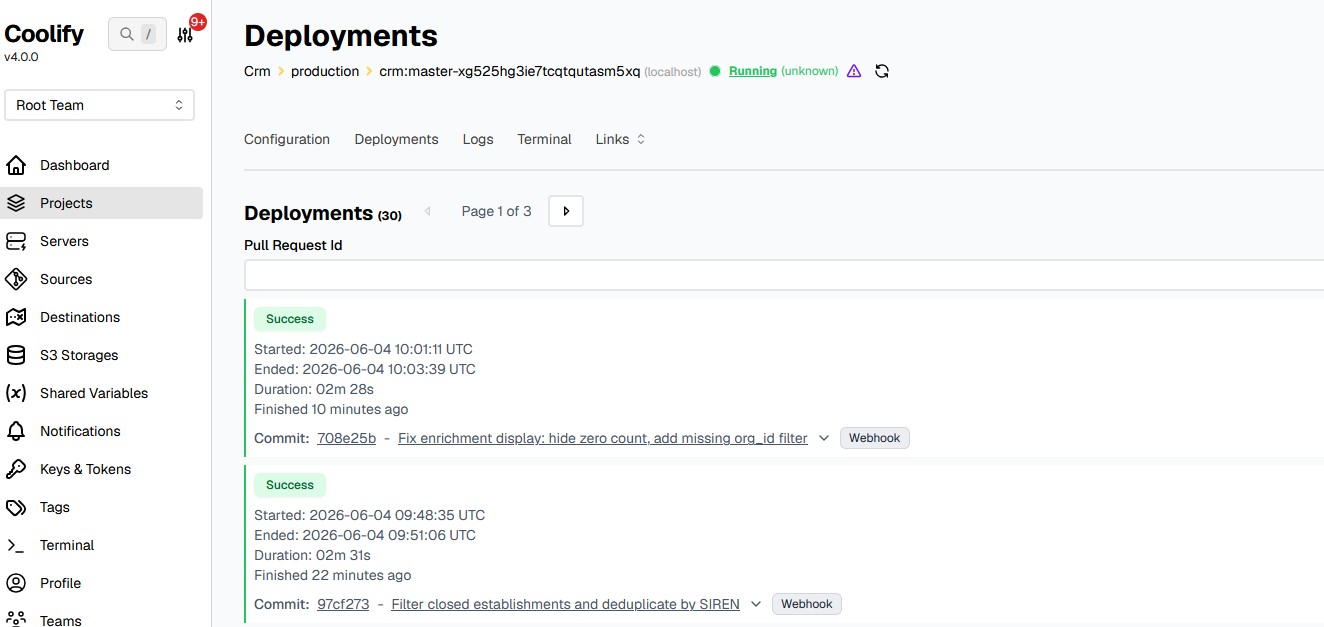
Coolify watches my GitHub repo. As soon as it detects a push on the main branch, it starts the build and deploys to my Ubuntu VPS.
No CI/CD pipeline to configure, no YAML to maintain. Coolify handles it.
I chose Coolify over Vercel or Railway for one simple reason: I own my infrastructure. A €6/month Ubuntu VPS, Coolify installed on it, and I can host as many projects as I want. No bill surprises, no vendor lock-in.
Coolify also manages SSL certificates automatically. My MVP is on HTTPS from the very first deploy.
Supabase: the database without the friction
Supabase gives me a managed Postgres instance with an auto-generated REST API, an admin interface, and ready-to-use authentication.
I don't install a database locally, I don't manage complex migrations for an MVP. I create my table in the Supabase interface, use the JavaScript client in my code, and I'm off.
The free tier easily covers the testing phase. When the project grows, I migrate if needed.
Why this stack
Every tool in this pipeline was chosen for the same reason: reduce the time between idea and feedback.
- VS Code: no context switch to commit
- Git: a universal trigger, everyone understands a push
- Coolify: a PaaS I own, no per-project subscription
- Supabase: a production-ready database in 5 minutes
I didn't pick the most powerful tools. I picked the tools that drain the least energy for tasks that aren't the core problem.
What this changes in practice
With this pipeline, the question "does this actually work?" takes 30 seconds to answer after a code change. I test, I fix, I push again. No meeting, no ticket, no manual deploy.
That's the kind of setup that makes the difference between a PM who waits for feedback and one who goes out and gets it.